
The Analytics page shows how customers interact with your Store Locator.
Select a date range at the top to view recent activity.
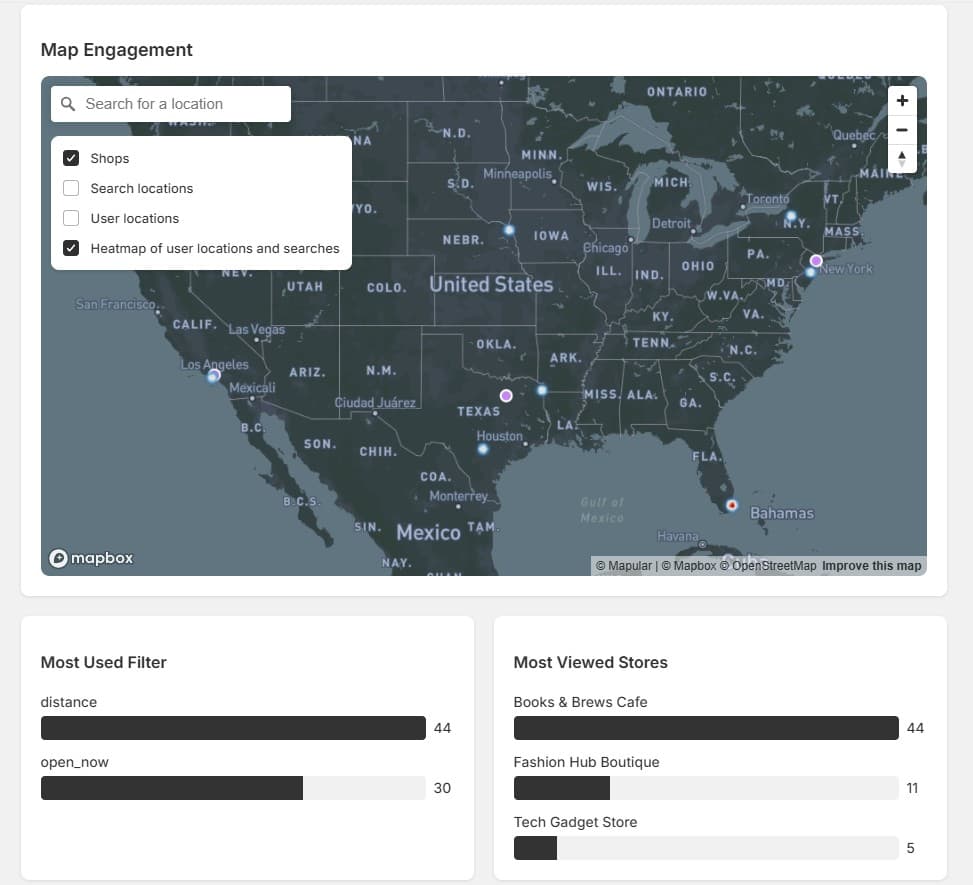
Map Engagement#
Highlights where users search and interact, with optional layers including:
- Shops on the map
- Search locations
- Heatmaps of activity
Most Used Filters#
Shows which filters customers use most often — useful for understanding what's important to your audience (distance, product availability, open now, etc.).
Most Viewed Stores#
Highlights the stores getting the most attention, so you can identify your most popular locations.
Store Engagement#
Tracks clicks per store, including:
- Store detail views
- Phone number clicks
- Website visits
- Direction requests
Use Store Engagement data to identify which stores drive the most customer actions, and optimize low-performing listings with better images, hours, or descriptions.