
If you have many store locations, you can upload them all at once using a CSV file instead of adding them manually.
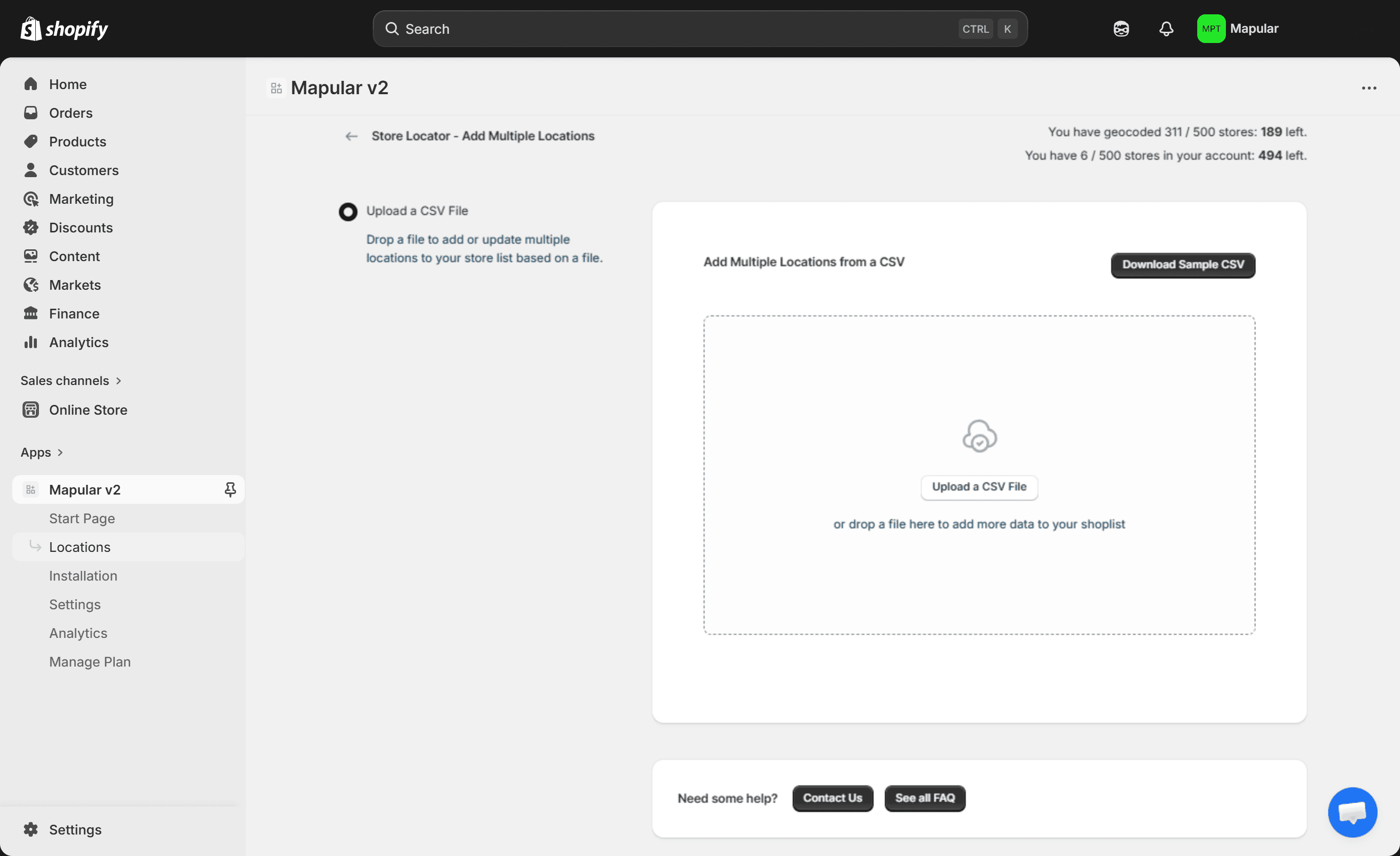
- 1Go to the Locations section in the Store Locator admin panel.
- 2Select Add Multiple Locations
- 3Download one of the provided CSV templates:
- Address-based template
- Latitude/longitude template
- 4Open the file in Google Sheets or Excel to edit it easily.
- 5Fill in your store data (name, address, hours, images, etc.).
- 6Upload the CSV file back into the app.
- 7Match your CSV columns to the correct store fields (address, name, description, hours, etc.).
The app will then automatically:
- Geocode your store addresses (to transform the coordinate/address into a point in the map)
- Add them to your store list
- Display them on the map
This is the fastest way to bulk upload and manage large store networks.
CSV Templates#
Choose the template that matches your data format:
| Template | When to use |
|---|---|
| Address column | You have full street addresses |
| Latitude & Longitude columns | You have separate latitude /longitude columns |
Download both templates on the Downloads page.
Required Fields#
Every row must include name and at least one location field:
| Field | Required | Notes |
|---|---|---|
name | Yes | Store display name |
address | One of these two | Full street address — the app will geocode it automatically |
latitude + longitude | One of these two | Decimal coordinates (e.g. 48.8566, 2.3522) |
Each row needs either a valid address or both latitude and longitude. Rows missing both will be skipped.
All Available Fields#
| Field | Example |
|---|---|
name | REWE Charlottenburg |
address | 80-82 Otto-Suhr-Allee, Berlin, 10585 |
latitude | 52.5162 |
longitude | 13.3045 |
phoneNumber | 49152000999 |
emailAddress | hello@example.com |
website | https://www.rewe.de |
websiteLabel | Visit website |
description | Open daily, fresh produce available. |
businessHours | {'mon':['09:00-19:30'],'tue':['09:00-19:30']} |
image | https://example.com/store-photo.jpg |
iconLink | https://example.com/custom-pin.png |
hyperlink | https://www.rewe.de/angebote |
hyperlinkLabel | Weekly offers |
prioritized | True |
businessHours uses a JSON-like format with day codes (mon–sun) and one or more time ranges per day. You can have a break mid-day by adding a second range (e.g. ['09:00-12:45','13:00-19:00']).
prioritized pins the store to the top of the results list. Set to True or leave blank.
Video Tutorial#
Video Tutorial
How to import store data using CSV